| |
| | Post 11 | |
| I LOVE THE ARMY!!!!!! | Quote:
![]() | |
| |
| | Post 12 |
| ICBM | lol kidn of mind twisting as well
__________________ ~when a man does his best, what else is there? Gen.George S.Patton |
| |
| | Post 13 |
| Optio | ![]() |
| |
| | Post 14 |
| MilForum Bad Apple | how do i post a pic of mine?[/img]
__________________ "For Democracy, any man would give his only begotten son." |
| |
| | Post 15 |
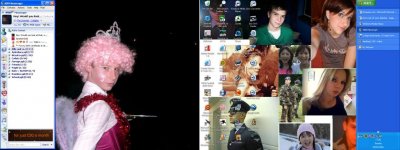
| Tribuni Angusticlavii | press "print screen">>>>Then open microsoft paint>>>>edit>>>paste>>>file>>>save as>>>Change it from a bitmap to a jpeg.
__________________ |
| |
| | Post 16 |
| ICBM | okay? but where do I find the saved image after i press print screen? |
| |
| | Post 17 |
| Tribuni Angusticlavii | in windows paint |
| |
| | Post 18 |
| ICBM | wot? what I mean is when u click print screen, how can I find the desktop pic to edit it? |
| |
| | Post 19 |
| Tribuni Angusticlavii | right press "print screen" (it's the same as cut and paste ok) then open paint in windows (i assume your using windows) then in paint press "edit" then "paste" your picture should now be in front of you. then press "file" then "save as" now make sure you save it as a jpeg, there's a box with the options the pic will now be in your picture folder, just use imageshack to upload it. |
| |
| | Post 20 |
| Legatus Legionis | ![]()
__________________ "Freedom is the sure possession of those alone who have the courage to defend it". Pericles. ![]() |
| |